ROLE
Product Designer
TEAm
Solo
SKILLS
UXR & Testing, Prototyping, Product Thinking, Interaction & Visual Design
tools
Duration
Feb -
Apr 2025
CONTEXT
DeepMoss is a lightweight, privacy-first check-in tool for teams.
Instead of surveys or long forms, employees respond with just one emoji + one word whenever they needed to.
Employees get a frictionless, ambient way to express their emotional state, with the option to share their name or stay anonymous.
Managers & HR see trends across the team, but only at the level people are comfortable sharing.
PROBLEM
Balancing deadlines, teamwork, and personal wellbeing at work is stressful and demanding.
I’ve seen this firsthand. Being younger than most of my friends, I’ve watched many of them enter the workforce before me: full of energy, only to feel stressed, disconnected, or even burned out within months.
83% of U.S. workers suffer from work-related stress (American Institute of Stress, 2022).
60% say stress negatively impacts productivity.
The APA's 2023 Work & Well-Being Survey found employees who feel unsupported are 2x more likely to quit within a year.
Right now, most companies rely on performance reviews, HR surveys, or Slack culture to understand wellbeing.
But these methods are too late, too formal, and just another pile of work on top of everything.
So the challenge became clear:
How might we help managers understand how their teams feel, before burnout, resignation, or silence sets in?
USER RESEARCH
I conducted 3 semi-structured interviews and a survey with open-ended questions: We managed to get 9 with young professionals, 2 managers, and 1 with HR staff.

67% said surveys felt like “corporate homework”

75% worried about honesty being held against them.
People didn’t want permanent anonymity, they wanted agency.
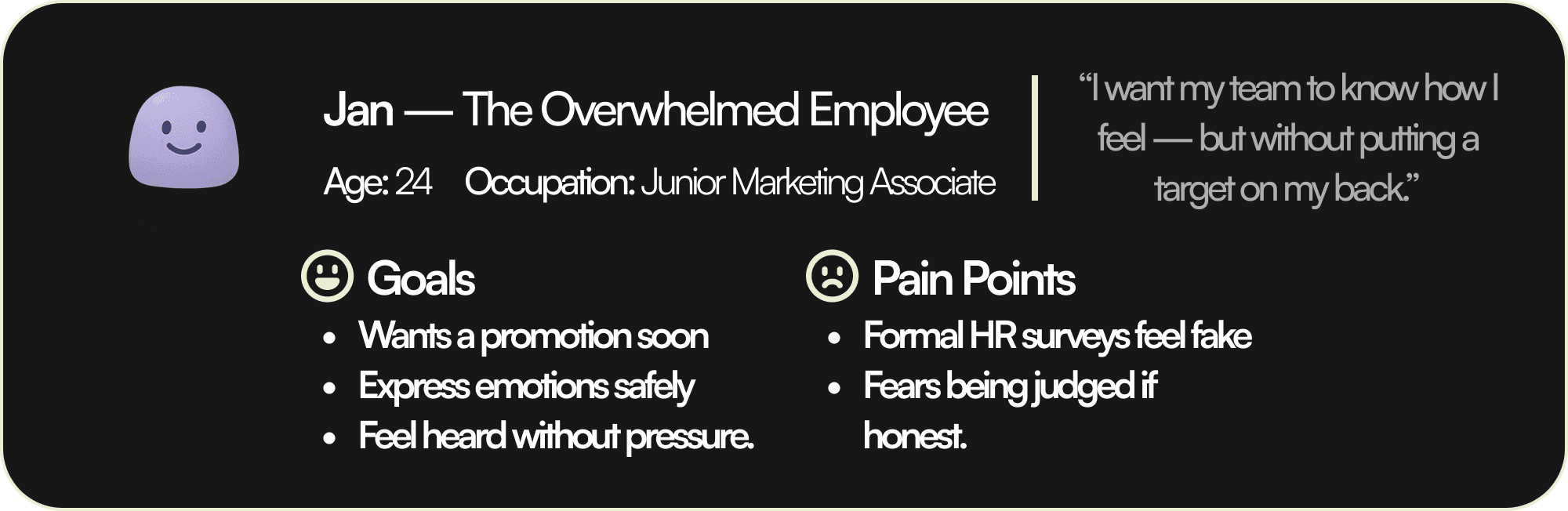
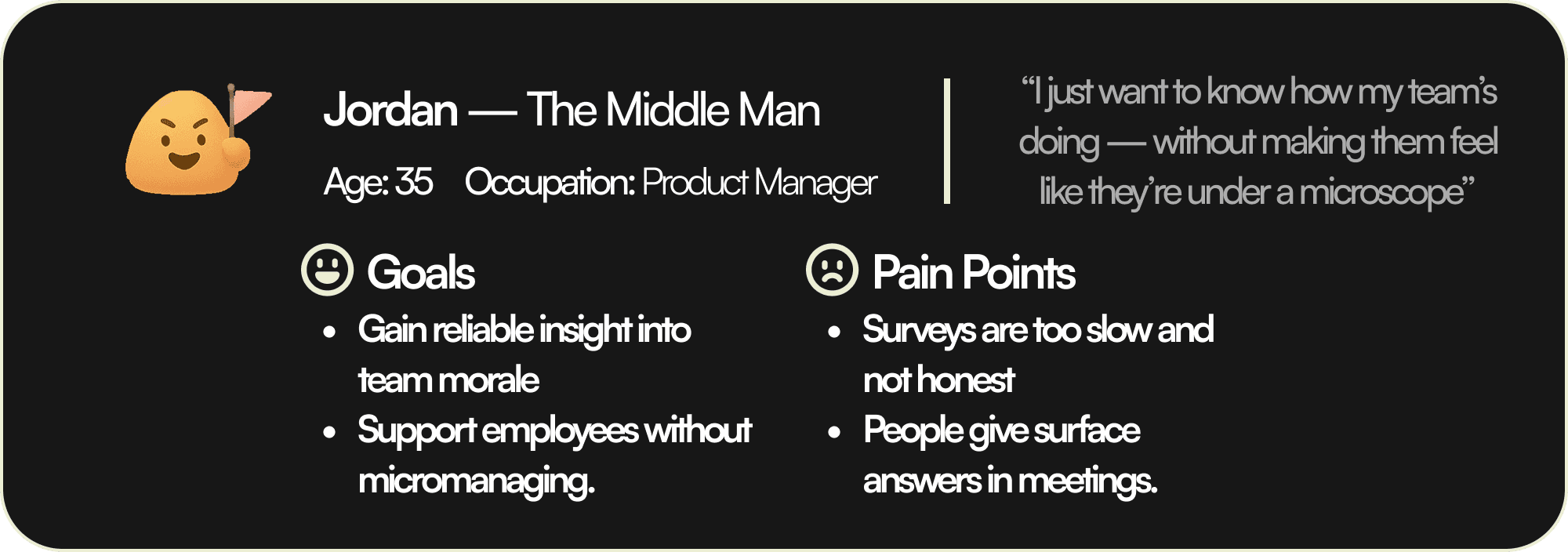
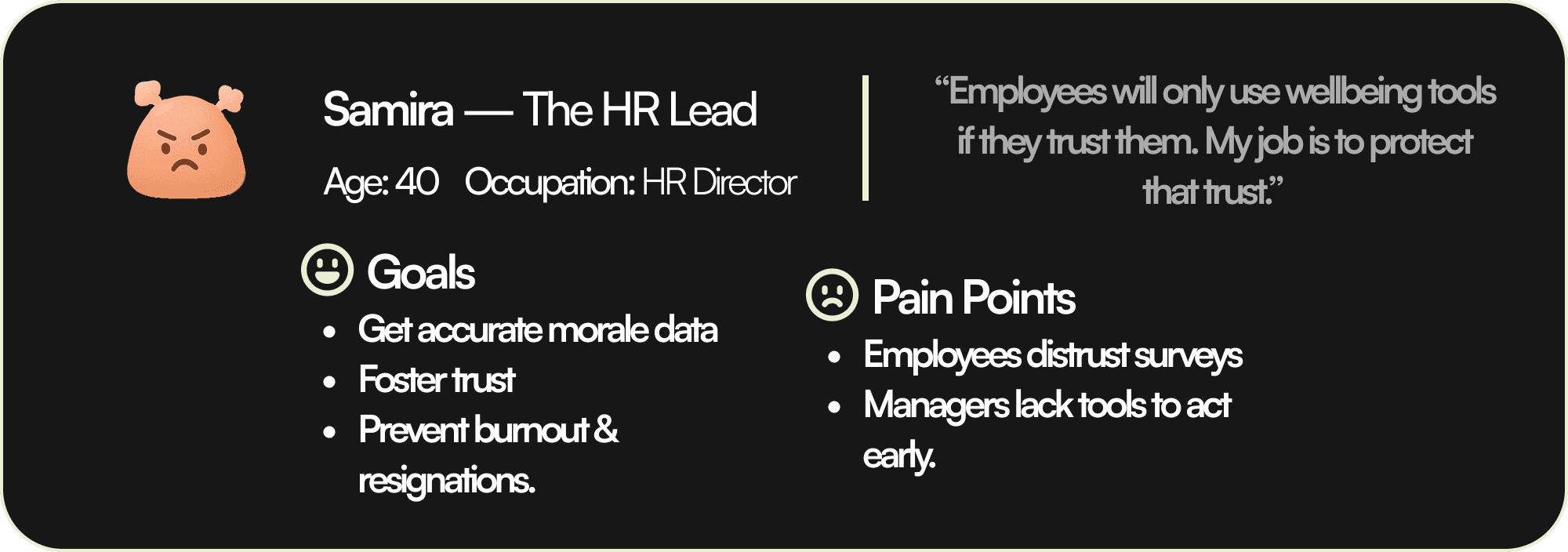
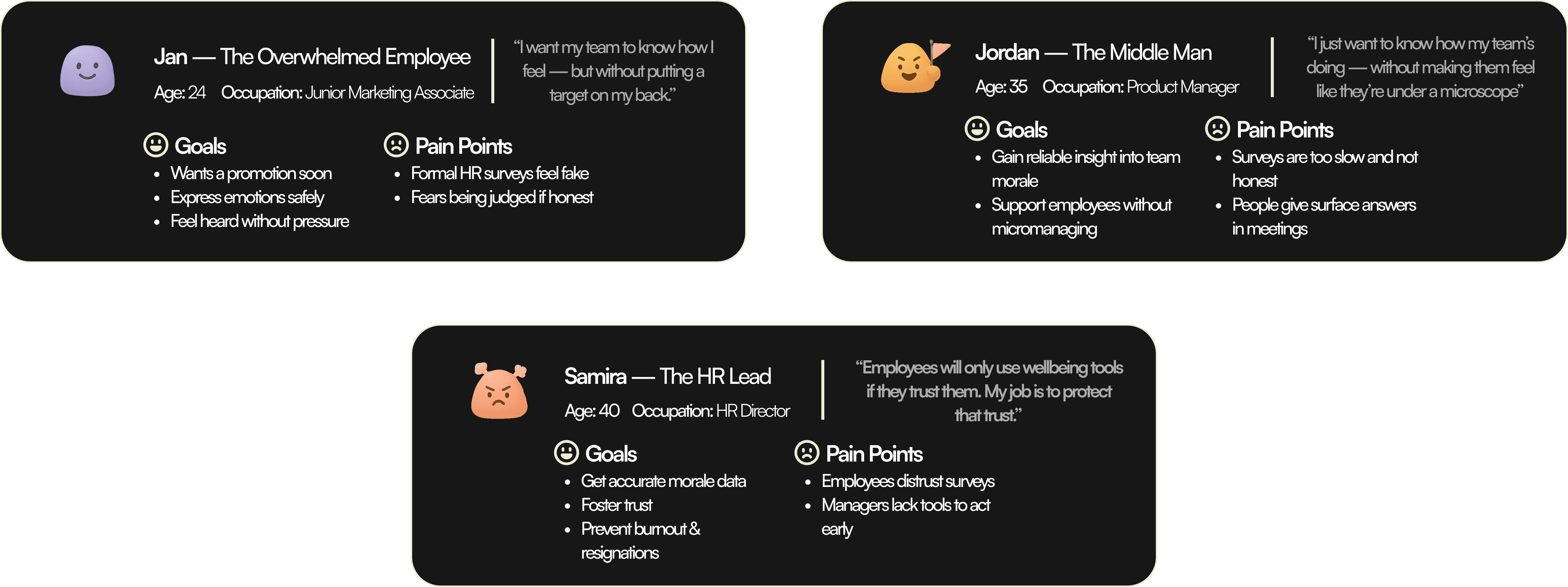
After analyzing user research, I developed three main user personas that represents my target audience’s pain points, and goals.
IDEATION → ITERATION
After gathering user research, I sketched out multiple approaches. We knew that we wanted the app to have some sort of check-in system, so we create 3 different ideas:
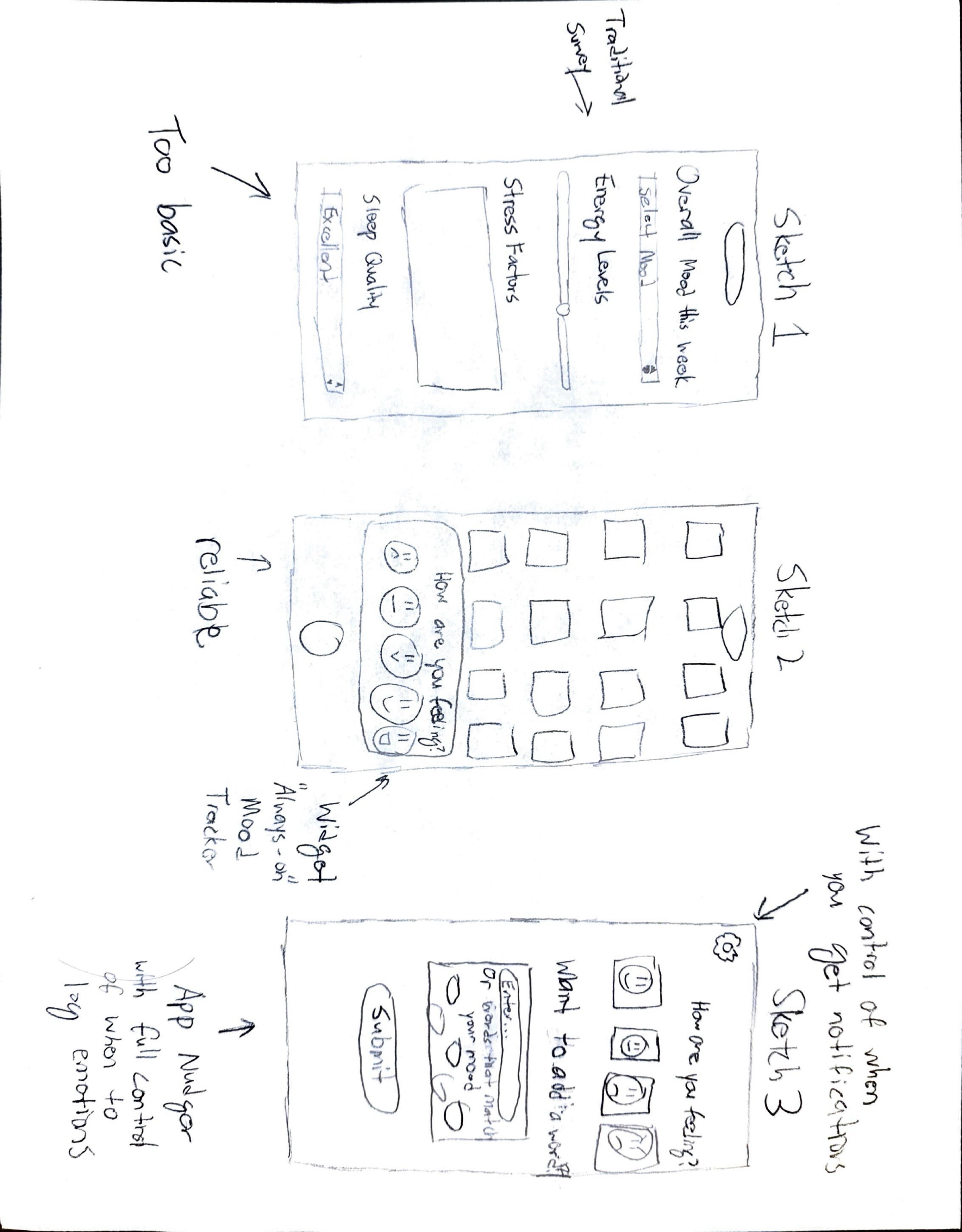
Sketch 1. Weekly survey form → rejected, too formal; too boring.
Sketch 2. Random Check-in Widget → rejected, too invasive and overwhelming.
Sketch 3. Lightweight nudge (emoji + word) app + Privacy Settings → chosen, struck the best balance.
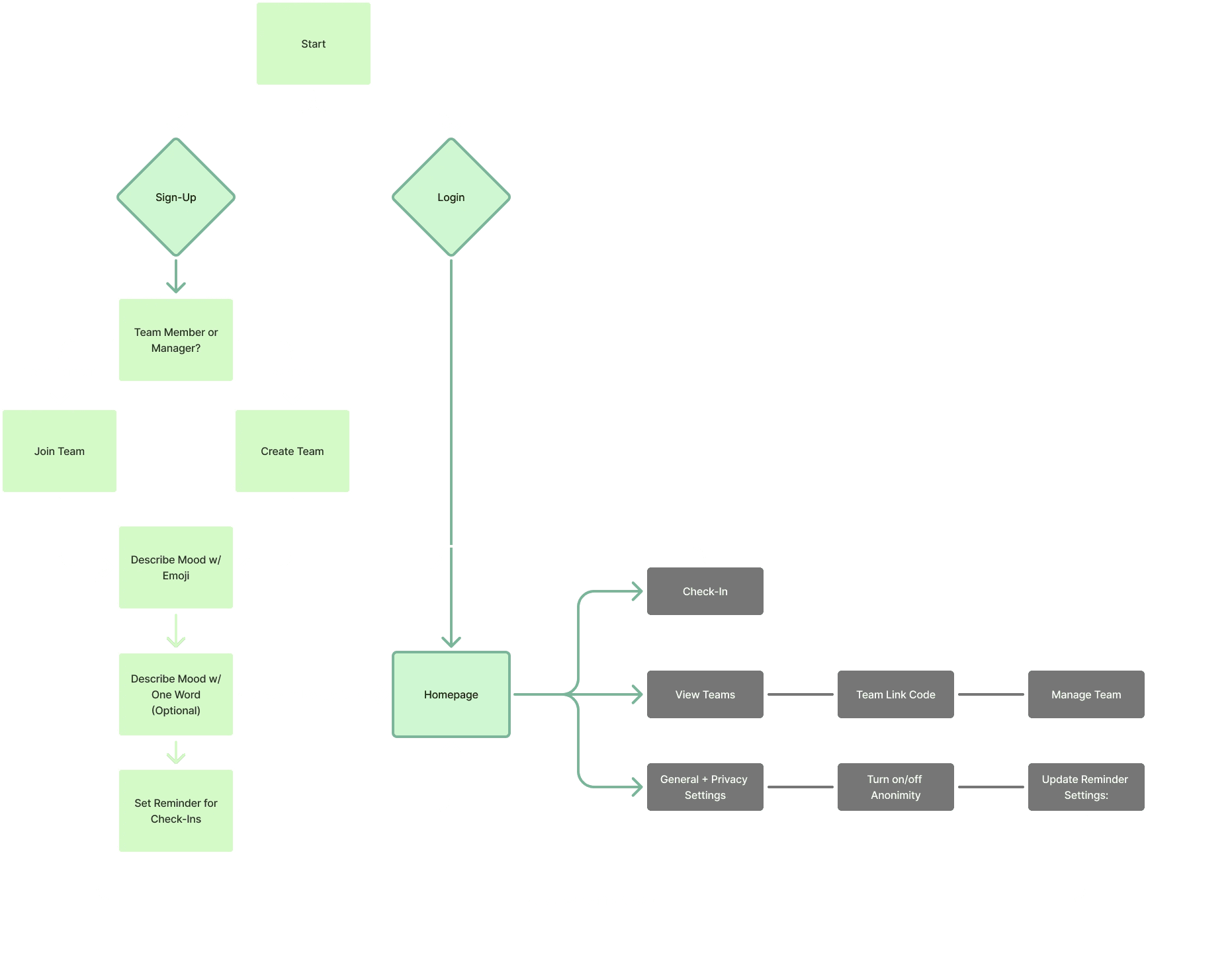
I then designed an Information Architecture establishing the app's key cotents. The experience is intuitive and balanced, preventing overload while keeping engagement high.
Data Visualization is Important
Using the Information Architecture, I developed mid-fidelity prototypes to refine the layout, hierarchy, and interaction patterns.
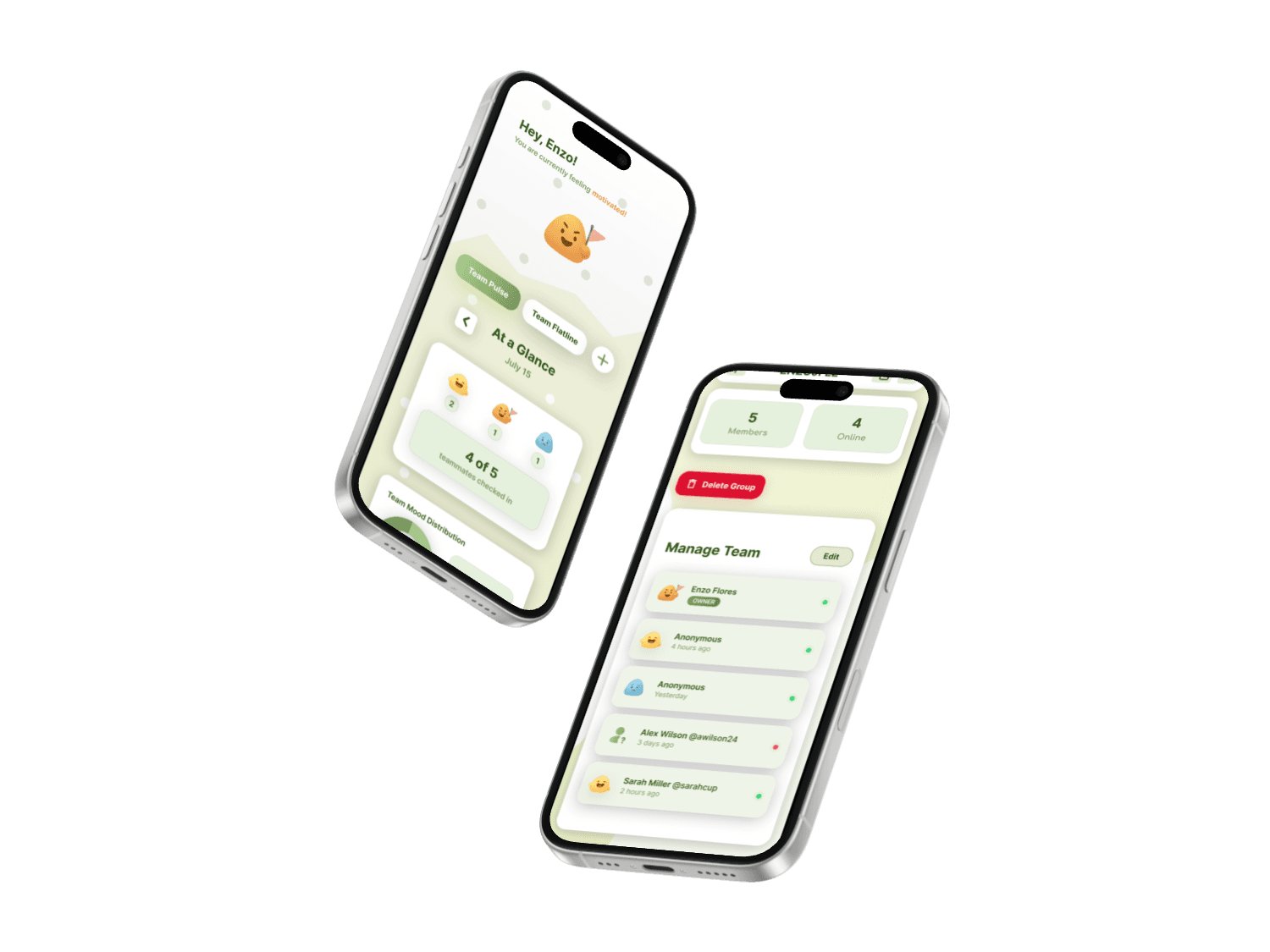
For the homepage, I designed two widgets: 'teammates checked in' (tracks who participated) and 'team mood distribution' (visualizes overall sentiment). Together, they let managers see both micro-level activity and macro-level emotional climate.
User research showed that clearer, more engaging data visuals make the experience feel less corporate and more approachable. In addition, research on workplace dashboards shows visualizing team wellbeing with simple graphics increases managers' ability to quickly interpret trends and fosters more empathetic decision-making.

USABILITY TESTING
How can design create change that sticks?
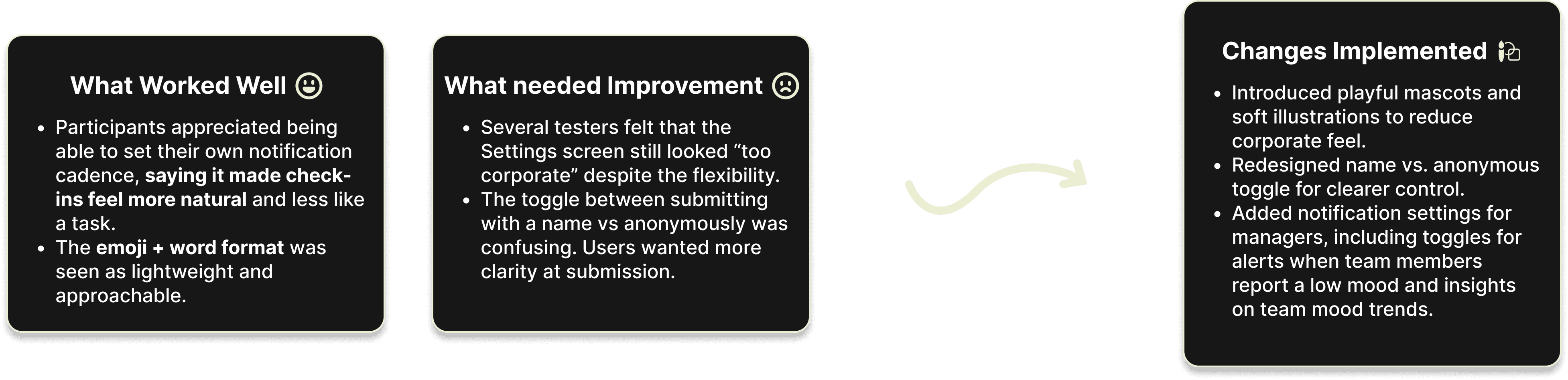
We conducted 7 usability tests with original research participants to evaluate how intuitive the check-in flow and settings felt.
Color does matter!
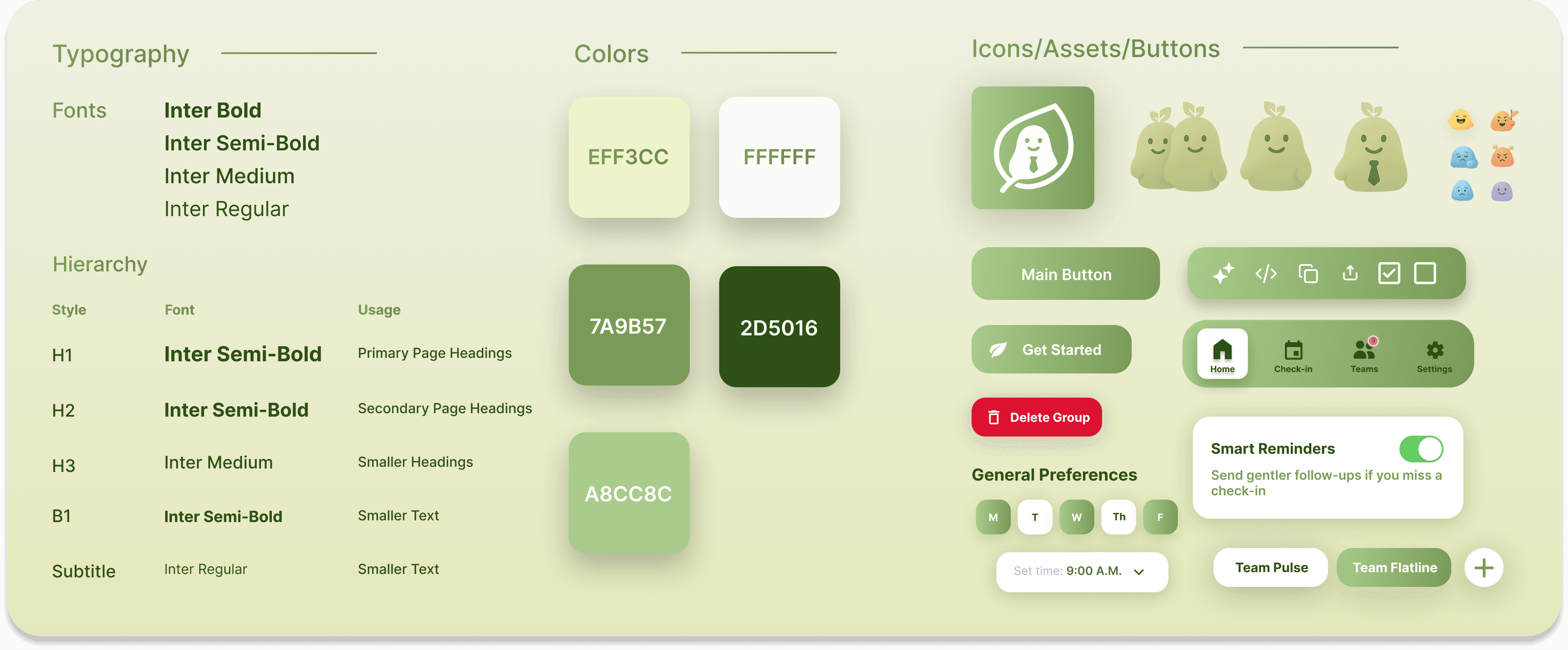
We chose a palette rooted in science, not just aesthetics. Research shows viewing green foliage significantly reduces brain activity in areas associated with emotional arousal, fostering physiological relaxation, calmness, and comfort. This validated our visual direction: soft green tones establish a calm, healing foundation, making DeepMoss feel like a space of quiet support, not another corporate tool.
Say hello to Moss!
I designed illustrations and a mascot to make the app feel less corporate and more approachable, encouraging employees to engage without the pressure of formality.
FINAL DESIGN
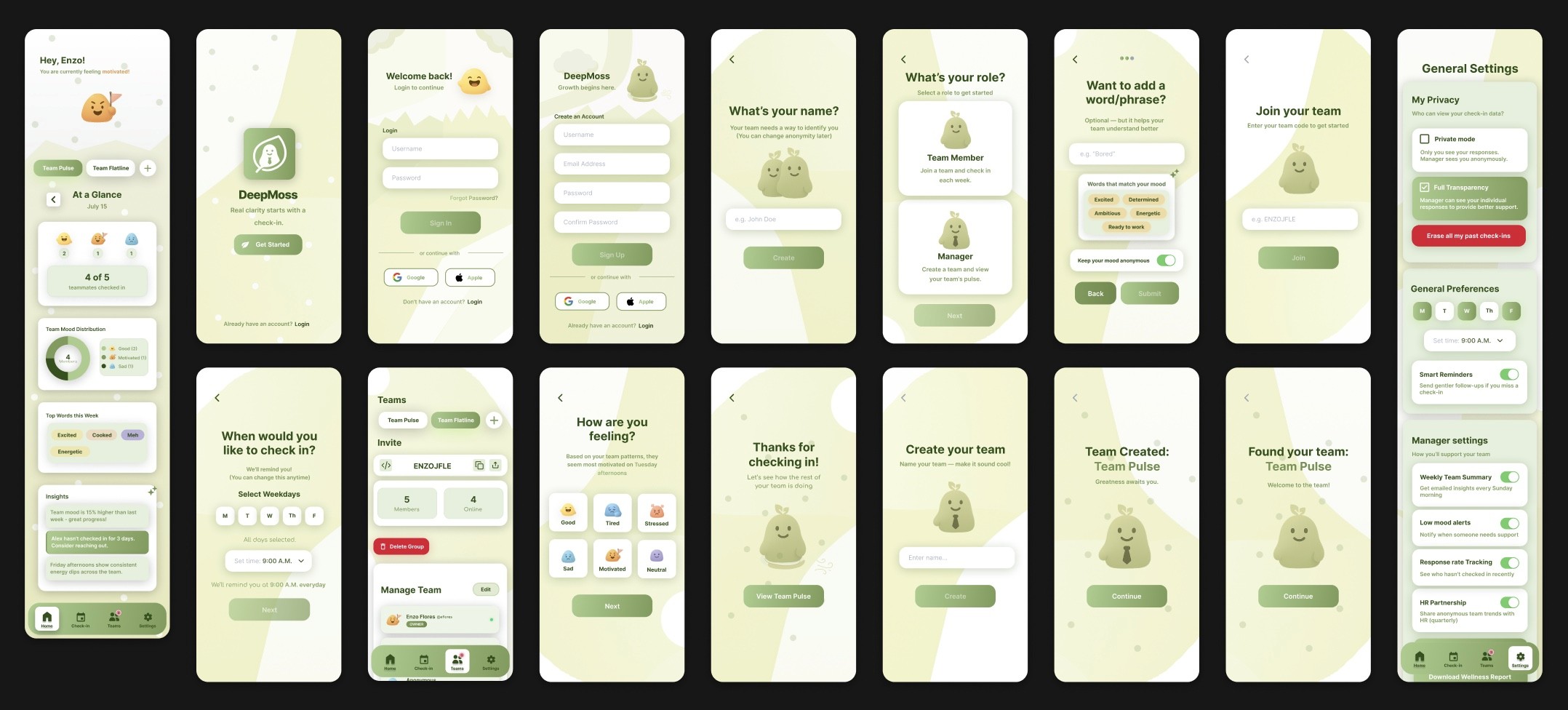
Welcome to DeepMoss!
After multiple rounds of iterations and testing:
REFLECTION
After sharing the final prototype with interviewees, most were surprised by how intuitive it felt and impressed with how directly it addressed their pain points. Most importantly, it made it easier for managers to check in on their teams' wellbeing before burnout set in
It turned our "How might we…" question into a tangible solution!
57% said they would sometimes actually want their name attached, validating that the privacy toggle solved the trust problem.
Balancing this project with classes and other responsibilities taught me that slowing down, even when time feels tight, leads to more thoughtful design choices. I would've explored more usability testing iterations and design variations. The 'less corporate' aspect came from user feedback, which cascaded into solving other pain points around mood expression and communication.
Beyond the Product